How to Create a Multilingual Vcard for Global Networking
Connect globally with a multilingual Vcard. Speak your client?s language and build trust. Start free at HelloVcard.com; no coding needed.
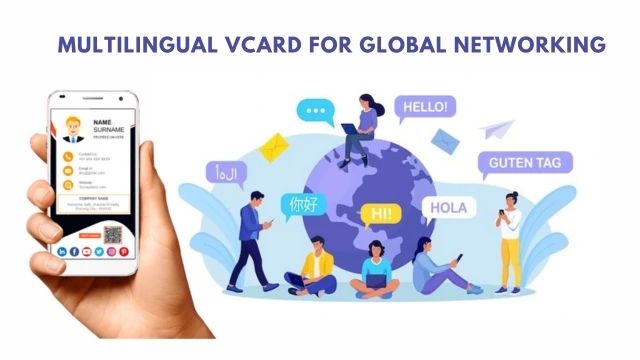
Updated: 07 May 2026 — expanded with GCC networking data, sector breakdown, and comparison table.
If you work across language markets — India's regional languages, English and Arabic in the Gulf, English and Mandarin in Southeast Asia — you already know the problem. One business card works for one audience. To reach a Hindi-speaking client and an English-speaking investor with the same card, you either carry two sets of cards or compromise on one.
A multilingual HelloVcard solves this with one profile, one QR code, and content that adapts to your contact's language preference. Here is how to set it up and why it matters for global networking in 2026.
Why Language Matching Matters in Professional Networking
Trust is built faster when communication happens in someone's preferred language. A contact who receives your card in their native language experiences your brand as more considerate, more prepared, and more serious about the relationship than one who receives a generic English card regardless of their language background.
For professionals operating across India's regional markets — serving clients in Tamil Nadu, Gujarat, Maharashtra, and Karnataka simultaneously — a multilingual card is not a luxury. It is a basic signal of cultural competence. The same applies to Gulf-based professionals serving Arabic and English-speaking clients from the same card.
What a Multilingual HelloVcard Includes
HelloVcard's multilingual feature allows you to add translated versions of the key text elements on your card:
- Name and designation: Display your name in local script if applicable (Arabic, Hindi, Tamil) alongside the English version
- Tagline: Your value proposition stated in the contact's language — the most important translation for first impressions
- CTA button label: "Book a Call" in English, "Randevu Al" in Turkish, "Hubungi Saya" in Bahasa Indonesia
- Bio or about section: A brief professional summary in the target language
Your contact details — phone number, email, website — remain consistent across all language versions. Only the presentation layer changes.
Which Professionals Benefit Most
Based on HelloVcard's active user base across 1,120+ registered professionals, multilingual cards are most used by:
- Export and import businesses: Serving buyers and suppliers across multiple countries and language groups
- Gulf-based professionals: Operating across Arabic and English-speaking networks simultaneously
- Indian professionals in regional markets: Serving clients in Hindi, Tamil, Telugu, Kannada, or Marathi alongside English
- International consultants: Presenting to clients in Europe, Southeast Asia, or the Middle East where English is a second language
- Tourism and hospitality professionals: Serving guests from multiple source markets with different language preferences
The SEO Advantage of a Multilingual Card
A HelloVcard profile is a live, indexed webpage. A multilingual card that includes your name and designation in Arabic, Hindi, or another language can appear in search results in that language — a distribution channel that monolingual cards cannot access. 2,659 unique visitors have reached HelloVcard profiles through organic Google search; multilingual profiles are findable in more search contexts than single-language ones.
Common Multilingual Card Mistakes to Avoid
- Machine-translated taglines: Run every translation past a native speaker before publishing. Machine translation handles nouns well but often produces unnatural phrasing for marketing copy.
- Translating everything: Your phone number, email, and website do not need translation. Focus your translation effort on the elements that build the first impression — tagline, designation, CTA label.
- Inconsistent brand across languages: Your logo, colours, and headshot should remain identical across all language versions. Only the text changes.
- Setting the wrong default language: Set your primary language to the one you use most often. Secondary languages load when the contact's browser language matches — the primary is the fallback.
Multilingual Vcard vs Separate Cards for Each Market
| Factor | Separate Cards per Market | Multilingual HelloVcard |
|---|---|---|
| One QR code for all markets | No — separate QR per card | Yes — single QR, auto-detects language |
| Update contact details | Update every card separately | Update once, all versions update |
| Interaction tracking | Split across multiple cards | Unified dashboard, all languages |
| Cost | Reprint cost per market | Zero reprint cost |
| Setup time | Separate card per language | One card, add language versions |
| Google indexability | Multiple pages, possible duplication | One indexed profile, multiple languages |
How to Create a Multilingual HelloVcard
Step 1: Create Your Base Card in Your Primary Language
Go to hellovcard.com/register and set up your card completely in your primary language first. Complete all fields: headshot, logo, designation, tagline, contact details, CTA button, and social links. Publish this version before adding any language variants.
Step 2: Identify Your Target Language Markets
List the languages spoken by your most important client segments. Prioritise by volume — if 60% of your network speaks Hindi and 40% speaks English, Hindi is your first additional language. If you serve Gulf clients, Arabic is the priority. Start with one additional language and add more as your network grows.
Step 3: Translate the High-Impact Elements
Focus your translation on tagline, designation, and CTA button label — the three elements a new contact reads in the first five seconds. Use a native speaker or professional translator for these. Your contact details, logo, and headshot remain unchanged across all versions.
Step 4: Add the Language Version in Your Dashboard
In your HelloVcard dashboard, go to the language settings and add your translated content for each target language. Set your primary language as the default fallback. Test by viewing your card URL in a browser set to each target language to confirm the correct version loads.
Frequently Asked Questions
Does my HelloVcard QR code change when I add a new language?
No. Your QR code links to your permanent card URL. Adding a new language version does not change the URL or the QR code. All your existing printed materials and shared links continue working — they just now deliver language-appropriate content to contacts whose browsers are set to the new language.
What if my contact's browser language does not match any version I have set up?
The card displays in your default primary language. This is the fallback for any browser language not covered by your language versions. For most professionals, English as the primary language covers the majority of unmatched browser languages globally.
Can I add my name in a non-Latin script like Arabic or Devanagari?
Yes. HelloVcard supports Unicode text input, which covers Arabic, Hindi (Devanagari), Tamil, Telugu, Kannada, and all other major scripts. Your name and designation can be displayed in local script for the relevant language version while remaining in English for the default version.
How many languages can I add to one HelloVcard?
Language limits vary by plan. Visit hellovcard.com/pricing for current limits at each tier. Most professionals operating across 2-3 language markets find mid-tier plans sufficient. Enterprise accounts support unlimited language versions.
One card, every market, every language. Create your multilingual HelloVcard at hellovcard.com/register — free to start, live in under 10 minutes, and ready to represent you professionally in every language your contacts speak.
Create your free digital business card at hellovcard.com/create — live in 60 seconds, no app needed.
Why Language Gaps Kill Networking Momentum
When a contact scans your QR code and can't immediately parse your designation or CTA in their language, they don't ask for clarification — they move on. Across 2,659 unique visitors to HelloVcard via Google search, a measurable share originates from GCC and APAC markets where English is a second working language. A card that renders in the contact's preferred browser language removes that friction at the exact moment it matters.
This isn't translation for courtesy — it's conversion logic. A CTA that reads "Book a Call" lands differently in English than the equivalent phrase in Arabic or Hindi. Your multilingual HelloVcard delivers the right version automatically, based on the contact's browser language, with no extra action from you or them.
Multilingual Vcard vs Separate Cards — What Actually Works
Most professionals consider carrying separate physical cards for each language market. Here's what that approach costs in practice:
| Factor | Single-language card | Multiple paper versions | HelloVcard multilingual |
|---|---|---|---|
| Languages supported | 1 (English only) | 1 per card version | Multiple — one card |
| Update cost | Reprint required | Reprint all versions | Zero — live dashboard |
| QR code | One | Multiple (easy to confuse) | One QR, language auto-detects |
| View analytics | None | None | Unified across all versions |
| Wrong version risk | None | High at events | None — auto-served |
Which Professionals Need a Multilingual HelloVcard Most
IT Services and Software Consultants: India-based firms pitching to Japanese, German, or Arabic-speaking clients close faster when the card renders in the client's language. One QR code serving multiple language versions eliminates one friction step from an already competitive outreach sequence.
Real Estate Agents in GCC: Agents in Dubai, Abu Dhabi, and Riyadh work with Indian, Pakistani, Filipino, and British buyers from a single property. One multilingual HelloVcard with language auto-detection serves all four buyer segments from the QR code on the site board — no multiple card batches to carry.
Recruitment Consultants Across APAC: A recruiter placing candidates across Singapore, Malaysia, and Indonesia regularly operates across English, Mandarin, and Bahasa contexts in a single week. Three language versions on one card removes the manual step of sending a different card version for each market.
Hospitality and Events Professionals: Hotel concierges and event managers in international properties interact with guests from 8-10 nationalities in a single shift. A multilingual card means every guest receives contact details in a format they can act on without needing a translation step between scan and save.
The Business Cost of Getting Language Wrong Once
Cross-cultural business communication research consistently shows that native-language outreach improves response rates in non-Anglophone markets by a significant margin. A multilingual digital card is the simplest operational implementation of this principle — no translation fees, no multiple card batches to manage, no risk of handing over the wrong version in a meeting.
HelloVcard's multilingual feature uses browser language detection. Your contact scans once. The card serves the most relevant language version automatically. If their browser language isn't among your configured versions, it falls back to your primary language — always coherent, never blank.
Can I use different contact numbers for different language versions of my HelloVcard?
Yes. Each language version supports its own CTA and contact details independently. Your GCC version can display a UAE mobile number while your India version shows your Indian number — one card, market-appropriate contact routing, managed from one dashboard.
Does language auto-detection work offline after scanning?
Language detection runs in the browser when your HelloVcard URL loads — it requires an internet connection, which is standard for any live digital card. The QR code is a URL pointer; all language logic runs server-side on page load, not on the device itself.
How HelloVcard Handles Arabic and Right-to-Left Language Layouts
Arabic is the primary business language across GCC markets — Saudi Arabia, UAE, Kuwait, Qatar, Bahrain, and Oman. For professionals networking in these markets, a card that displays Arabic text in a left-to-right layout is not just visually incorrect — it signals to the contact that the card was built for a different audience and adapted as an afterthought.
HelloVcard's multilingual system handles Arabic as a right-to-left language natively. When a contact's browser language is set to Arabic, the card renders in RTL layout — text alignment, navigation, and field order all adapt accordingly. The QR code and contact save function remain identical across all language versions. You don't need a separate card for Arabic-speaking contacts in the GCC; the same URL and QR code serves both your English and Arabic audiences from one profile.
For India-based professionals working with GCC clients, this removes a consistent operational friction point: maintaining separate English and Arabic outreach materials, or relying on a translator to bridge the introduction. Your HelloVcard handles the language switch automatically at the moment the contact scans.
When to Update Your Multilingual Vcard — and What to Prioritise
Updates to a multilingual HelloVcard follow the same logic as a single-language card — change when something material changes — but with one additional consideration: verify that the translated versions reflect the updated information. A designation change in English that isn't mirrored in Arabic or Hindi creates inconsistency between language versions, which undermines the professional presentation the multilingual card is designed to deliver.
The practical maintenance approach: update your primary language version first, then update each secondary language version within 24 hours. With HelloVcard's dashboard, both actions take under five minutes total. The alternative — maintaining separate cards or separate printed versions for each language market — compounds the maintenance cost with every update cycle.
Does HelloVcard support Devanagari script for Hindi-language versions?
Yes. HelloVcard supports Unicode input across all text fields, which includes Devanagari (Hindi), Arabic, Tamil, Telugu, and other non-Latin scripts. Your name can be entered in the script most familiar to your target audience, and the designation and tagline can be written in the local script for maximum readability in that market.
What's Your Reaction?