How to Use Vcards for Personal Branding
Use Vcards to build your brand, enhance networking, and boost your online presence. Learn how to create, share, and track your digital business card.
Updated: 07 May 2026 — expanded with personal branding framework, platform comparison, and sector-specific card strategy.
Personal branding is not about having a logo and a colour palette. It's about what someone finds when they look you up, what they remember after meeting you, and whether the impression you leave matches the professional you actually are.
I've watched professionals spend thousands on a website redesign and then hand out a paper card with a Gmail address at their next event. The card undoes the website. Every touchpoint either builds your brand or chips away at it ? and your business card is one of the highest-frequency touchpoints you have.
Why Your Business Card Is a Branding Asset, Not a Contact Sheet
178 active HelloVcard profiles are currently live on the platform. The ones that generate the most follow-through share a common trait: they're consistent with everything else the professional puts out. Same colours, same photo, same tone, same links. The card feels like an extension of the person ? not a separate object.
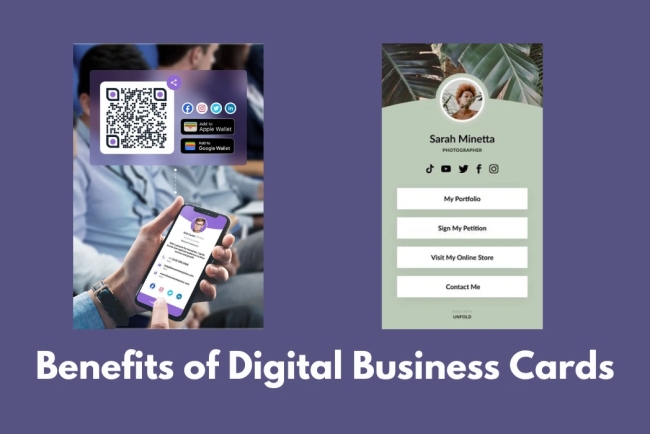
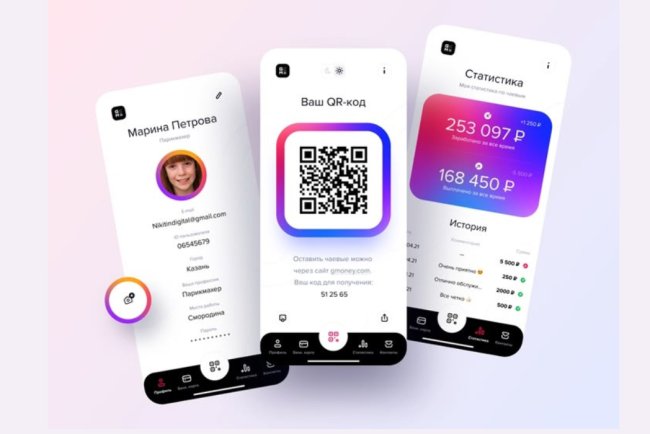
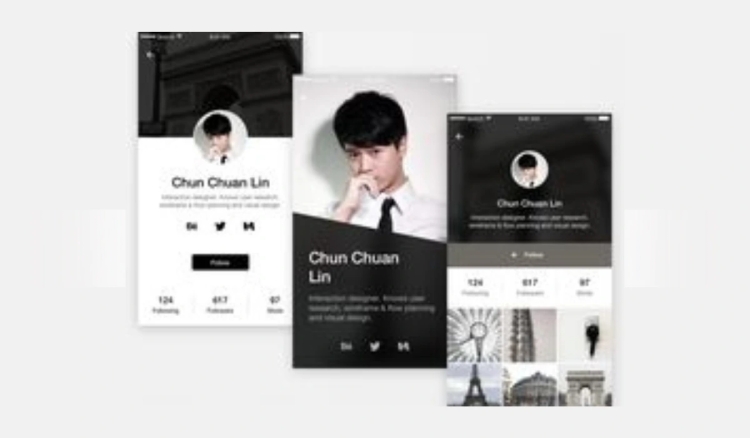
Paper cards can approximate this with good design. But they cap out at name, number, logo, and maybe a tagline. A HelloVcard profile carries your full brand identity: photo, logo, brand colours, typography, intro video, portfolio link, social profiles, WhatsApp button, and a custom call-to-action. It's a micro-website behind a QR code.
The 6 Elements of a Personal Brand HelloVcard
Based on what works across HelloVcard's 11,380 tracked card interactions, here are the six elements that consistently drive higher contact saves and link clicks:
1. A Professional Headshot, Not a Logo Placeholder
Profiles with a clear, professional headshot get saved more often than those with a company logo in the photo field. People remember faces. Use a headshot in professional attire against a neutral background ? the same one you use on LinkedIn.
2. A Specific Designation, Not a Generic Title
"Consultant" tells nobody anything. "M&A Advisory Consultant ? Mid-Market Manufacturing" tells a prospect exactly whether you're relevant to them in three seconds. Be specific. The more niche your designation, the more qualified your inbound contacts will be.
3. One Primary CTA That Matches Your Goal
Every HelloVcard can carry a custom call-to-action button. Set it to the one action you most want new contacts to take: book a call (Calendly link), view your portfolio, read your case studies, or download your capability deck. Pick one and make it specific.
4. Brand Colours Applied Consistently
HelloVcard's template customisation lets you set your exact primary and secondary brand colours. Use the hex codes from your website or brand guide ? not approximate matches. Consistency across your card, website, LinkedIn banner, and email signature is what makes a brand feel intentional rather than assembled.
5. An Intro Video Under 60 Seconds
A recruitment consultant on our platform added a 45-second intro video to their HelloVcard. New contacts who watched it before their first call converted to clients at double the rate of cold introductions. Video is the single highest-impact addition you can make to a digital card ? and it's impossible on paper.
6. Social Links Curated, Not Dumped
Add only the social profiles you actively maintain and that reflect your professional positioning. A dormant Twitter account from 2019 hurts your brand more than no link at all. For most professionals: LinkedIn, one content platform (newsletter, YouTube, or podcast), and a portfolio if relevant.
How HelloVcard Builds Your Brand Between Meetings
Paper cards are passive. Once handed over, they either get saved or discarded ? you have no visibility into which. HelloVcard tracks every card open, link tap, and contact save. This data does two things for your personal brand:
First, it tells you which contacts are actually engaged. A prospect who opened your card three times and clicked your portfolio link is warm ? follow up specifically about your work, not generically. Second, it tells you which elements of your brand are working. If your video gets clicked on 60% of card views but your case study link gets 5%, you know where your brand is landing. 2,659 unique visitors have reached HelloVcard profiles through Google search ? meaning your card also works as a discoverable brand asset between active networking.
Personal Branding Mistakes HelloVcard Prevents
- Outdated contact details: Paper cards freeze your details at print time. HelloVcard updates instantly ? your brand never presents stale information.
- Inconsistent visuals: Generic card templates produce generic impressions. HelloVcard's customisation enforces brand consistency across every share.
- No follow-up mechanism: Paper cards offer no tracking. HelloVcard shows you exactly who engaged and how.
- Missing social proof: Paper cards cannot carry testimonials, case studies, or portfolio links. HelloVcard can include all three behind a single CTA button.
- Wrong first impression: Handing over a paper card after a polished presentation creates a format mismatch. A branded HelloVcard QR code is consistent with a professional who operates at that level.
Integrating HelloVcard Across Your Brand Touchpoints
- Email signature: Add your card URL and QR code. Every email becomes a brand impression.
- LinkedIn profile: Add your card URL to the Contact info section and featured links.
- WhatsApp: Send your card link in follow-up messages after meeting someone.
- Event follow-ups: Send your HelloVcard link within 24 hours of meeting someone. The card reinforces the in-person impression while it's still fresh.
- Speaking or presenting: Add your QR code to your final slide. Audience members can save your contact details while you're still on stage.
How to Build a Personal Brand HelloVcard ? Step by Step
Step 1: Create Your Account
Go to hellovcard.com/register and sign up free. No credit card required. Your account is ready in under two minutes.
Step 2: Set Your Brand Foundation
Upload your professional headshot and company logo. Enter your exact hex colour codes for primary and secondary brand colours. Select the typography that closest matches your brand guide. These three choices determine 80% of how branded your card looks.
Step 3: Write a Specific Designation and Tagline
Replace generic titles with specific, niche-targeted designations. Add a one-line tagline that states what you do and for whom ? under 12 words. This is the first thing contacts read after your name.
Step 4: Add Your Primary CTA and Media
Set one custom CTA button pointing to your highest-value asset ? portfolio, booking link, or case study. If you have a short intro video, upload or link it now. This is the element most likely to convert a card view into a conversation.
Step 5: Publish and Distribute
Download your QR code. Add your card URL to your email signature, LinkedIn profile, and active social bios. Share your card link in WhatsApp follow-ups after meetings. Check your interaction dashboard weekly to see which contacts are engaging.
Frequently Asked Questions
Can I use HelloVcard for personal branding if I am a freelancer without a company?
Yes ? and it's particularly effective for freelancers. Set your name as the primary brand, use your personal logo or monogram, and link directly to your portfolio and booking page. Many of HelloVcard's most active users are independent consultants and freelancers who use their card as their primary professional identity online.
How often should I update my HelloVcard?
Update it whenever anything changes ? new project, new service, new contact channel. Also review your CTA button quarterly: if your primary goal has shifted from "book a call" to "read my newsletter," your card should reflect that. Updates take under two minutes and do not require a new QR code.
Can I have different HelloVcard profiles for different audiences?
Yes. You can create multiple cards ? one positioning you as a consultant, one as a speaker, one for a specific industry vertical. Each has its own URL and QR code. Share the relevant card depending on the context.
Does HelloVcard work for executives who have an assistant manage their communications?
Yes. The card can be set up and updated by an assistant with account access. The CTA button can point to a scheduling assistant link or contact form, keeping the executive's personal contact details private while still enabling professional networking.
Your business card is your brand's handshake. Make it count ? create your HelloVcard at hellovcard.com/register and have a fully branded, trackable digital card live in under five minutes.
Build your free digital business card at hellovcard.com/create and review plan options on the HelloVcard pricing page — professional features from ₹99/month.
Personal Branding Is Not About Having a Logo — It's About Being Found and Remembered
Most personal branding advice focuses on content creation: post more, build a following, develop a voice. All of that matters. But it operates upstream of the moment that actually determines whether a business opportunity converts: the moment someone who already knows you wants to refer you, hire you, or engage you — and needs to find your contact details.
A HelloVcard solves the downstream problem. It's the asset you control that appears when someone Googles your name, that delivers your full credentials when someone taps your QR code at an event, and that updates automatically so the person who saved your details two years ago always has your current information.
The Five Personal Branding Elements a HelloVcard Delivers That LinkedIn Doesn't
One-tap contact saving: LinkedIn connections can't save your phone number to their phonebook from your profile. Your HelloVcard delivers a vCard 3.0 file to their device in one tap — name, number, email, designation, and company written directly to their contacts app.
Intro video without a feed: LinkedIn video lives in a feed that requires an active following to get views. Your HelloVcard intro video plays for every single person who opens your card — whether they found you via QR code, URL, or NFC tap — without requiring any followers or algorithm performance.
Real-time analytics on individual interest: LinkedIn shows total profile views. HelloVcard shows you which specific card links were tapped, helping you identify which contacts are actively interested at any given moment rather than reviewing aggregate data.
Custom CTA that changes with your goals: Your LinkedIn URL is fixed. Your HelloVcard CTA can be updated from "Book a call" to "See my portfolio" to "Download my rate card" in 90 seconds, depending on what you're prioritising this month.
Works without an account: Every contact who taps your HelloVcard sees your full profile without needing a LinkedIn account, a login, or an app. For networking outside professional circles — events, referrals, WhatsApp introductions — this removes a significant access barrier.
Personal Branding Card Strategy by Professional Type
| Professional type | Primary CTA to set | Key branding element | Distribution method |
|---|---|---|---|
| Freelancer / consultant | Portfolio link or booking page | Specific outcomes in designation | Email signature + LinkedIn |
| Sales professional | WhatsApp or direct call | Intro video — credibility in 45 seconds | QR at meetings + WhatsApp follow-up |
| Job seeker | Download CV link | Photo + target role designation | LinkedIn Featured + email signature |
| Startup founder | Pitch deck or investor page | Platform metrics in tagline | QR at events + NFC card |
| Creative professional | Portfolio website | Visual brand colours + photo | Instagram bio + QR at exhibitions |
Should I use the same HelloVcard for personal and professional networking?
Most professionals use one card with context-switched CTAs — updating the primary CTA based on what they're currently prioritising. If you need genuinely separate identities (a corporate role and a freelance practice), HelloVcard supports multiple cards under one account, each with a distinct URL and QR code.
How does a HelloVcard help with personal branding if I don't have a large following?
Personal branding at the networking level isn't about audience size — it's about recall and retrievability. A HelloVcard ensures that every person who meets you, receives a referral about you, or Googles your name can immediately access your credentials, contact details, and a direct way to engage. That works for a professional with 50 contacts or 50,000.
Personal branding at the networking level ultimately reduces to one question: when someone who met you two months ago wants to refer you to a new contact, can they find your details and share them in under 30 seconds? A HelloVcard answers yes — the URL is in their WhatsApp history, their email thread, or their phonebook. The referral happens because the friction of finding your details is zero.
What's Your Reaction?