How to Get Orders on WhatsApp: A Practical Guide for Indian Small Businesses
Getting orders on WhatsApp requires a product catalogue, a direct WhatsApp link, and a QR code — not a PDF price list and a prayer. This guide covers the complete WhatsApp ordering system for Indian small businesses using HelloVcard.

Written by L K Monu Borkala | Founder, OneCity Technologies | Published: 27 May 2026 | Updated: 3 June 2026
Quick Answer: To get orders on WhatsApp, you need three things: a product catalogue customers can browse, a direct WhatsApp link they can tap to enquire, and a QR code or shareable URL that gets your catalogue in front of them. HelloVcard combines all three in a single digital card — free to set up, with the WhatsApp Store available from Rs.99/month.
Getting orders on WhatsApp is the goal of every small business owner in India who has watched a customer message them on WhatsApp, receive their product details as a PDF or a long text message, and then go quiet. The problem is not the customer's interest — it is the friction between interest and order. A well-structured WhatsApp ordering system removes that friction entirely.
246 paid transactions have been processed through HelloVcard. Every single one started with a customer scanning a QR code or tapping a card link, browsing a WhatsApp Store catalogue, and sending one WhatsApp message. The system works because it removes every step that is not absolutely necessary between "I want this" and "I have ordered this."
The WhatsApp Ordering System That Works
An effective WhatsApp ordering system has four components: a product catalogue (so customers can browse without asking "what do you have?"), a direct WhatsApp link (so customers can enquire with one tap, not by searching for your number), a QR code (so your catalogue is accessible from any physical surface), and a consistent follow-up process (so every enquiry converts to an order).
HelloVcard provides the first three as an integrated platform. The fourth — your follow-up process — is the only component that requires your ongoing attention. See WhatsApp Store setup guide for the technical configuration of the first three components.
Step-by-Step: Setting Up WhatsApp Orders
Step 1: Build Your Product Catalogue
List your top 10 to 20 products or services in your HelloVcard WhatsApp Store. For each: a clear name, a one-sentence description, and a price or price range. Customers should be able to decide what they want to order from the catalogue without needing to ask clarifying questions. The goal is to eliminate the "what do you have?" WhatsApp message — replace it with a catalogue that answers that question before it is asked.
Step 2: Set Up Your WhatsApp Direct Link
Create a WhatsApp direct link (wa.me/91XXXXXXXXXX) with a pre-filled message: "Hi, I found you on HelloVcard and would like to place an order." Set this as your primary CTA on your HelloVcard. Every customer who taps your enquiry button arrives in your WhatsApp with context already established.
Step 3: Deploy Your QR Code
Print your HelloVcard QR on every surface your customers encounter: packaging, receipts, store signage, delivery bags, table tents. Add your card URL to Instagram bio, WhatsApp status, and Google Business Profile. The QR and URL are the same destination — your full catalogue and direct WhatsApp link. See QR code networking guide for deployment tactics.
Step 4: Build Your Follow-Up Process
When a customer sends a WhatsApp enquiry from your HelloVcard, respond within 2 hours during business hours. Confirm availability, share your UPI or payment link, and confirm delivery details in the same conversation. Keep a saved reply template for your most common order confirmations to speed up response time. Customers who receive fast, clear responses become repeat buyers.
Step 5: Use WhatsApp Status for Repeat Orders
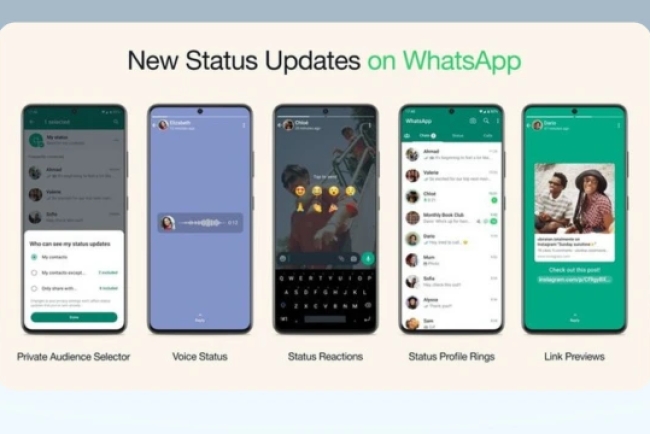
Every customer who has saved your HelloVcard contact receives your WhatsApp status updates. Post one status per week: a new product, a limited availability item, a weekend special. Customers who are already in your contact list and see your product in their status feed reorder without any additional friction. This is a zero-cost repeat order channel. See WhatsApp status strategy for daily visibility.
Common Mistakes That Kill WhatsApp Orders
Sending product information as a PDF: customers cannot browse, cannot tap to enquire, and the PDF is often too large to open on a slow connection. Replace with a HelloVcard WhatsApp Store catalogue link. Slow response time: a customer who enquires on WhatsApp and does not receive a response within a few hours often buys elsewhere. Set up WhatsApp Business quick replies for common enquiries. No clear pricing: "price on request" creates friction. Even a price range in your catalogue reduces the back-and-forth that loses impatient customers. No QR code on physical materials: every physical touchpoint without a QR is a missed conversion opportunity. See mistakes to avoid with your digital card for the complete list.
Tracking Your WhatsApp Order Performance
HelloVcard analytics show total card views, QR scans, and link clicks by channel. Track these weekly against your WhatsApp conversation volume to identify your conversion rate — the percentage of card views that become WhatsApp enquiries. A low conversion rate (many views, few enquiries) suggests a catalogue or CTA issue. A high conversion rate with low order completion suggests a follow-up process issue. Data-driven adjustment of these two variables compounds into a significantly more efficient ordering system over a quarter. See how shops boost sales with WhatsApp Store for conversion benchmarks.
Frequently Asked Questions
How do I share my product catalogue on WhatsApp without sending a PDF?
Share your HelloVcard URL in WhatsApp. The recipient taps the link, opens your digital card, and browses your WhatsApp Store catalogue in their phone browser — no PDF, no download, no file size issue. The catalogue loads instantly and includes direct enquiry buttons for each product.
Can I take advance payment for WhatsApp orders?
Yes. Share your UPI link (PhonePe, GPay, Paytm) in the WhatsApp conversation after the customer confirms their order. Request advance payment before dispatch for new customers; extend credit terms to established regulars at your discretion. The HelloVcard WhatsApp Store initiates the conversation; payment is handled in WhatsApp or via your preferred payment tool.
How many products can I list in my WhatsApp Store?
See HelloVcard pricing for current catalogue limits by plan. Most small businesses operate effectively with 10 to 30 products listed — enough to cover your core range without overwhelming customers with choice.
Government Support for Digital Commerce in India
The Government of India's Open Network for Digital Commerce (ONDC) is building infrastructure to support small businesses in transitioning from informal to digital commerce channels. While ONDC focuses on structured e-commerce, the underlying trend it represents — government-level recognition that India's small businesses need better digital tools — validates the move to platforms like HelloVcard that reduce friction in the ordering process. The MSME Ministry's digital support schemes include subsidies for technology adoption that some HelloVcard users may be eligible for — consult your local MSME Development Institute for current scheme details.
Building a Sustainable WhatsApp Order Business
The difference between small businesses that generate consistent WhatsApp orders and those that struggle is not product quality — it is system quality. A business with a structured catalogue, a consistent QR deployment strategy, a fast response process, and a weekly WhatsApp status habit generates orders predictably. A business that shares product images on request, responds to enquiries inconsistently, and has no system for re-engaging past customers generates orders randomly.
HelloVcard provides the infrastructure for the first approach: catalogue, QR code, analytics, and WhatsApp integration in one platform. The habit layer — the weekly status update, the 2-hour response commitment, the QR on every new piece of packaging — is yours to build. Commit to those habits for 90 days and review your WhatsApp order volume against your baseline. The data will show you whether the system is working and which elements to optimise.
The Psychology of WhatsApp Ordering
WhatsApp ordering works because it matches how Indian consumers already communicate. A customer who messages a friend on WhatsApp uses the same app and the same behaviour pattern to message a business. There is no new platform to learn, no account to create, no checkout flow to navigate. The cognitive load of placing a WhatsApp order is identical to sending a message to a friend — which is why conversion rates from WhatsApp catalogue view to completed order are significantly higher than from website product page to checkout completion.
The key to maximising this psychological advantage is reducing every point of additional friction. A pre-filled message in your WhatsApp link removes the friction of composing an opening message. A structured catalogue removes the friction of asking what you offer. A clear price in the catalogue removes the friction of asking how much it costs. Each friction point you remove increases the proportion of interested customers who complete the order. The goal is a customer journey where the only decision required is "do I want this product at this price?" — and every other decision has been made for them by your HelloVcard setup. See first impressions with vCard for the conversion psychology behind digital card design.
Building a WhatsApp Order Management System
As your WhatsApp order volume grows, you need a simple system to track orders, payments, and fulfilment without it becoming unmanageable. A basic WhatsApp order management system for a small business has three components: a labelling system in WhatsApp Business (label conversations as "New Order," "Payment Received," "Dispatched," "Completed"), a simple order log (a Google Sheet with columns for date, customer name, product, amount, payment status, and dispatch date), and a broadcast list of customers who have ordered before (for weekly specials and restocking notifications).
This system takes 30 minutes to set up and handles 20 to 50 orders per month comfortably without additional tools. When order volume exceeds 50 per month, consider integrating a lightweight order management tool like Zoho Inventory or a WhatsApp-native order management solution. The HelloVcard WhatsApp Store initiates every order conversation — your WhatsApp Business app and simple tracking system close and fulfil them. See WhatsApp Store for business in India for scaling strategies as order volume grows.
Seasonal Campaigns on WhatsApp
WhatsApp status updates to your saved contacts are your highest-ROI seasonal campaign tool. Before Diwali, post a status update about your festive product range with your HelloVcard link. Before the school year begins, a tutor posts about new batch availability. Before Onam or Pongal, a home baker posts about their festival special orders. Before Valentine's Day, a florist posts about pre-order availability with a direct link to their HelloVcard WhatsApp Store.
Each status update reaches every contact who has saved your HelloVcard number — your warmest possible audience. The conversion rate from a status-driven visit to a WhatsApp order is significantly higher than from a cold discovery channel because the viewer already knows and trusts your business. Plan your WhatsApp status calendar around seasonal demand peaks in your specific category and you will see predictable order spikes around each campaign. See WhatsApp status strategy guide for the complete seasonal campaign framework.
WhatsApp Order Fulfilment: From Enquiry to Delivery
A well-designed WhatsApp ordering system has five fulfilment steps that every order follows consistently. Step one: customer sends enquiry from HelloVcard catalogue — you receive a WhatsApp message with the product name pre-filled. Step two: you confirm availability, share your UPI link or payment details, and state the delivery timeframe — all in one reply within 2 hours. Step three: customer sends payment confirmation — a screenshot of the UPI transaction. Step four: you confirm receipt of payment and provide order confirmation with estimated delivery time. Step five: you dispatch and send a delivery confirmation message with tracking if applicable, or a pickup notification.
This five-step process takes 3 to 5 WhatsApp messages to complete and handles 95% of orders without any deviation. Document it as a standard process, create saved reply templates for steps two, four, and five, and the process runs consistently regardless of order volume or which team member is managing WhatsApp. The predictability of this process is why customers become repeat buyers — they know exactly what to expect and the experience consistently meets those expectations. For the complete order management system, see WhatsApp Store setup guide and how shops boost sales with WhatsApp Store.
Expanding Beyond Your Immediate Network
The natural limit of a referral-based WhatsApp ordering business is your network size. Once you have activated every person in your immediate contact list and their first-degree connections, growth requires expanding into new networks. The most effective expansion channels for HelloVcard users are: housing society WhatsApp groups (post your card link monthly with a genuine, non-spammy introduction), professional association groups (if you serve professionals, their association groups are concentrated audiences of potential clients), local business directories and apps like Justdial or Sulekha (add your HelloVcard URL as your website), and Google Business Profile (drives local search discovery that adds new customers outside your existing network).
Each channel requires a one-time setup effort and delivers ongoing card views without continuous active promotion. The compounding effect of five passive distribution channels — each generating 5 to 20 card views per month — is 25 to 100 new potential customers encountering your WhatsApp catalogue every month without any ongoing marketing spend. For the complete distribution channel strategy, see mastering vCard integration and digital networking for introverts for low-effort, high-reach distribution tactics.
WhatsApp Order Best Practices From 246 Processed Transactions
HelloVcard has facilitated 246 paid transactions to date. The patterns from these transactions reveal consistent best practices for WhatsApp ordering. Orders placed between 9am and 11am and between 7pm and 9pm have the highest completion rates — these are the peak WhatsApp activity windows for most Indian consumers, when they are most likely to be browsing their phone and making purchase decisions. Orders that receive a response within 30 minutes complete at a significantly higher rate than those that receive a response after 2 hours. Orders where the catalogue listing included an image complete at a higher rate than text-only listings.
Apply these insights directly to your WhatsApp order system: ensure team coverage during the 9-11am and 7-9pm windows, set a 30-minute response target during operating hours, and prioritise adding images to your top-selling catalogue items. These three adjustments — timing coverage, response speed, and image presence — are the highest-impact operational improvements available for most small businesses implementing WhatsApp ordering for the first time. For the complete implementation guide, see WhatsApp Store setup and analytics and tracking guide.
Payment Methods That Work Best for WhatsApp Orders in India
UPI is the dominant payment method for WhatsApp orders in India — it is instant, familiar, and available to every smartphone user through PhonePe, Google Pay, Paytm, or any UPI-enabled banking app. Share your UPI ID or QR code in the WhatsApp conversation after the customer confirms their order. Request payment before dispatch for new customers; extend post-payment credit to established regulars at your discretion.
For higher-value orders (above Rs.2,000), some customers prefer bank transfer — share your account details on request. For businesses selling to corporate clients, an invoice with NEFT payment terms is appropriate. The HelloVcard WhatsApp Store initiates every order conversation; the payment method is agreed and completed within the WhatsApp conversation based on the customer's preference and your terms. This flexibility — supporting UPI, bank transfer, cash on delivery, and corporate invoicing from the same ordering channel — is an operational advantage over e-commerce platforms that restrict payment methods to their supported gateways.
Set up your WhatsApp ordering system today. Create your free HelloVcard and start receiving WhatsApp orders from your first QR scan.
What's Your Reaction?