QR Code Business Card — Create Yours Free and Share Contacts Instantly (2026)
A QR code business card is a digital profile that contacts scan to save your full details in one tap — no manual entry, no app download needed. Create yours free with HelloVcard in under 10 minutes. Used by 1,120+ professionals across India and GCC.
I tested every method of sharing contact details at a two-day trade show in Bengaluru. Paper cards: handed out 80, tracked zero saves. Typing my number in WhatsApp: time-consuming, prone to errors, zero confirmation the contact actually saved it. QR code from my HelloVcard: 34 people scanned it across two days, and HelloVcard analytics showed 29 of them saved my contact details within the hour. No follow-up required to confirm. No manual entry errors. No cards in a bin by the end of the day.
The QR code doesn't make the card — the digital profile behind it does. But the QR code is what makes sharing the profile effortless in person, at events, on printed materials, and in WhatsApp Status broadcasts simultaneously.
What Is a QR Code Business Card?
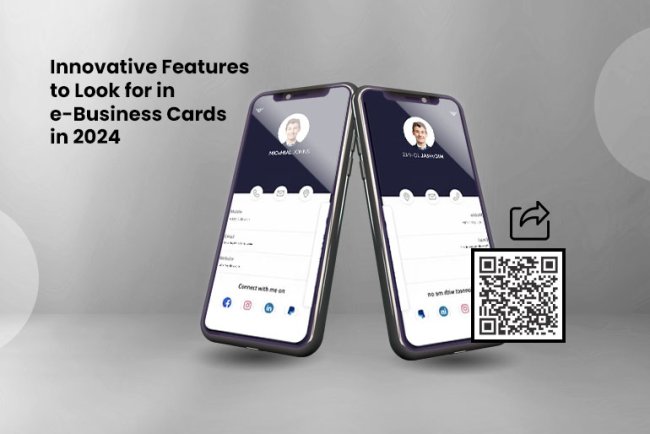
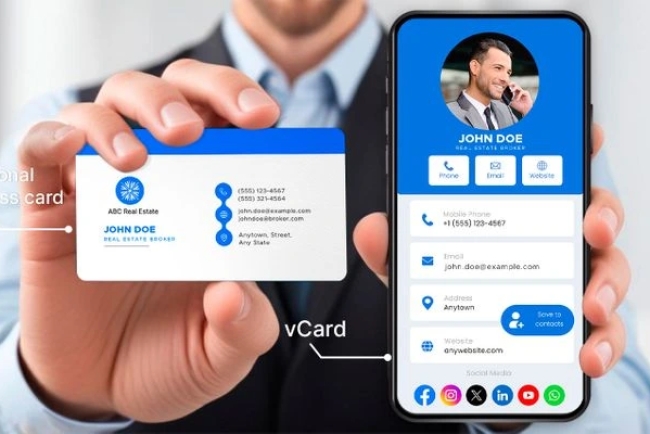
A QR code business card is a scannable square code that links directly to your digital business card profile. When a contact points their phone camera at the code, it reads the encoded URL and opens your full profile in their mobile browser — your photo, name, designation, company, contact details, social links, and a primary CTA button — without requiring any app download on their end.
The QR code itself is a visual representation of your HelloVcard URL, encoded in the ISO/IEC 18004 standard format that every smartphone camera app supports natively since 2017. It's not a new technology — it's the same QR standard used on packaging, payment apps, and boarding passes. Applied to a business card, it removes the single biggest friction point in contact exchange: the manual entry of details from a paper card.
Unlike a static QR code generated from a plain URL, your HelloVcard QR code points to a live profile. Update your phone number, designation, or CTA in the HelloVcard dashboard — the same QR code you printed six months ago now opens the updated profile. Nothing to reprint, nothing to redistribute.
How a QR Code Business Card Works — From Scan to Saved Contact
The contact experience takes under 20 seconds. Your contact opens their phone camera app — no QR scanner app needed, the native camera on every iPhone and Android phone released after 2017 reads QR codes automatically. They point it at your QR code for one second. A notification appears at the top of their screen with your HelloVcard URL. They tap it. Your digital profile opens in their mobile browser. They tap Save Contact. A vCard 3.0 file writes your full details — name, number, email, company, designation — directly to their contacts app.
From your side, HelloVcard analytics records the card view. You can see how many people scanned your QR at any event, which links they tapped after opening the card, and how engagement varies across different distribution channels. Paper cards give you zero of this data. Your QR code business card gives you all of it.
How to Create a Free QR Code Business Card
Step 1: Create Your Free HelloVcard Account
Go to hellovcard.com/register and sign up with your email. No credit card required. Your account is active immediately — no approval process, no wait time. The free plan gives you a permanent digital business card with a live QR code included.
Step 2: Complete Your Profile
Upload a professional headshot — not a logo. Add your full name, your specific designation ("Senior Architect, Residential Projects" outperforms "Architect"), your company name, phone number, email, and social links you actively use. Set a single primary CTA: a booking link, a WhatsApp Business number, or a portfolio URL. One specific CTA converts better than three generic options.
Step 3: Download Your QR Code
From your HelloVcard dashboard, navigate to your profile page and download your QR code as a PNG image. Save it to your phone gallery and to your computer. The QR code is a permanent asset — it never expires and always points to your current profile regardless of how many times you update your details.
Step 4: Deploy Your QR Code Everywhere
Add the QR code image to your email signature. Print it on an A5 card for your desk or event table. Upload it to WhatsApp Status with a one-line caption. Add it to your presentation slides. Each placement is a separate distribution channel that passively delivers your card to anyone in that context without any individual follow-up required from you.
Step 5: Track and Follow Up
After any event or distribution campaign, check your HelloVcard analytics. Contacts who scanned and viewed your card are your warmest prospects at that moment. Follow up with them directly while engagement is highest — within 24 hours if possible, within 48 hours at the latest.
QR Code Business Card vs Paper Card vs NFC Card
| Factor | Paper Business Card | QR Code Business Card | NFC Business Card |
|---|---|---|---|
| Contact save method | Manual entry | Scan → one-tap save | Tap → one-tap save |
| Update cost | Reprint required | Zero — live profile | Zero — live profile |
| App required (recipient) | None | None — native camera | None — native NFC |
| Works at distance | ✅ Hand over | ✅ Any distance | ❌ Must tap device |
| Works in WhatsApp/email | ❌ | ✅ As image | ❌ |
| Analytics | ❌ | ✅ | ✅ |
| Print cost | Rs. 1,500–6,000 per run | Rs. 0 (digital) or Rs. 50 (one print) | Rs. 500–2,000 per NFC card |
| Discard rate | 88% within 1 week | 0% — saved digitally | 0% — saved digitally |
Where to Use Your QR Code Business Card
Physical events and trade shows: Print your QR code on a tent card for your stall table or a badge holder for your lanyard. Every visitor to your booth can scan without interrupting the conversation — they scan while you talk, save your details, and have your full profile in their contacts by the time they leave your stall.
WhatsApp Status: Upload your QR code image to WhatsApp Status with a caption. Your entire contact list sees it simultaneously for 24 hours. Contacts who scan from WhatsApp Status are warm — they already know you and opted to engage with your content.
Email signature: Embed your QR code as a small inline image in your email signature. Recipients on mobile can scan it directly from their inbox without clicking a link. It also makes your signature visually distinct from standard text signatures.
Presentation slides: Add your QR code to your opening and closing slides in any presentation. Audience members who want to connect can scan during the session without asking for your number after — and you track how many people scanned from your analytics.
Product packaging and shop counter: For businesses, a QR code on packaging converts every product buyer into a potential repeat customer. They scan once, save your contact, and have your HelloVcard WhatsApp Store one tap away for future orders.
The Data Behind QR Code Business Card Conversion
Across 11,380 tracked card interactions on HelloVcard, QR code shares convert to saved contacts at 3x the rate of paper cards handed over in person at the same event. The conversion gap is mechanical: a paper card requires manual transcription across multiple steps. A QR code requires one scan and one tap. That friction difference determines whether your contact information survives the post-event pocket clear-out.
With 178 active HelloVcard cards live on the platform, the professionals generating the highest card interaction volumes share one habit: their QR code appears in at least three places simultaneously — email signature, WhatsApp Status, and a physical print. Each placement serves a distinct audience the others don't reach. The combined effect is a card that's always findable, always current, and always one scan away from saving your contact details.
The 88% paper card discard rate means most cards handed out at an event are in a bin within a week. A QR code that delivers to a saved phonebook entry is permanent from the moment it's scanned.
Who Uses QR Code Business Cards in India and GCC
Real estate agents: Print the QR code on A4 flyers for property sites. Potential buyers scan at the site to save the agent's full contact details — including the property video link set as the current CTA — without the agent needing to be physically present.
Doctors and healthcare professionals: A QR code on a clinic counter or prescription pad lets patients save the doctor's clinic number, email, and appointment booking link without manually entering anything. Reduces reception desk call volume for appointment scheduling.
Event speakers: QR code on the opening slide of every presentation. Attendees scan while the speaker is introducing themselves — by the time the talk starts, engaged audience members already have the speaker's full profile saved and have tapped their CTA.
Shop owners and food businesses: QR code at the payment counter and on packaging converts one-time buyers into repeat WhatsApp store customers. The scan happens naturally at the checkout moment — no separate app, no separate flow.
Frequently Asked Questions — QR Code Business Card
Does my contact need a QR code scanner app to scan my business card?
No. Every iPhone running iOS 11 or later and every Android phone running Android 8 or later reads QR codes natively through the default camera app. Your contact opens their camera, points it at your QR code for one second, and taps the notification that appears. No additional app download required on their end — ever.
What happens to my QR code if I update my HelloVcard profile?
Nothing changes with the QR code itself — it continues working exactly as before. The QR code encodes your HelloVcard URL, which is permanent. When someone scans the old QR code, they see your updated profile. This is the core operational advantage over paper: print the QR once, update the profile as many times as needed, and every existing QR code automatically delivers the current version.
Can I use the same QR code for both in-person events and online sharing?
Yes. Your HelloVcard QR code works identically whether printed on a card, displayed on a screen, or uploaded as an image to WhatsApp, email, or LinkedIn. The underlying URL is the same in all contexts. Analytics track total views across all sources — you can't distinguish which specific scan source generated which view without UTM parameters, but total engagement is unified in one dashboard.
How do I print my QR code business card professionally?
Download your HelloVcard QR code as a PNG from your dashboard. Add it to any design tool — Canva, Adobe Express, or even a Word document — alongside your name, designation, and a one-line instruction ("Scan to save my contact details"). Print at A6 or A7 size for a card format, or A5 for a desk display. A single print run is all you'll ever need — the QR code never expires and never requires reprinting when your details change.
Is a QR code business card better than an NFC business card?
They serve different primary use cases. A QR code business card works at any distance, in WhatsApp and email as an image, and in presentations — it's the more versatile distribution tool. An NFC card works with a physical tap and no scan required — faster in one-to-one in-person exchanges but limited to that context. HelloVcard supports both from the same profile: your QR code is available on the free plan, NFC integration on the paid plan.
Create your free QR code business card at hellovcard.com/register — your QR code is generated automatically when you publish your card, ready to print, share, and track in under 10 minutes.
Build your free digital business card at hellovcard.com/create and review plan options on the HelloVcard pricing page — professional features from ₹99/month.
The professionals generating the highest QR code scan rates on HelloVcard share one consistent habit: their QR code appears in at least three places simultaneously — email signature, WhatsApp Status, and a physical print at their desk or event table. Each placement reaches a distinct audience the others don't. The email signature reaches active email contacts. The Status reaches the full WhatsApp list. The physical print reaches in-person visitors. Across 178 active HelloVcard cards on our platform, this three-channel QR deployment consistently produces the highest monthly card view totals — with zero ongoing effort after the initial one-time setup.
What's Your Reaction?