Creative Ways to Use Vcards in Your Daily Workflow
Use Vcards in emails, meetings, social profiles, events, and onboarding. Creative ways to make networking seamless and boost your professional presence.
Updated: 07 May 2026 — expanded with workflow integration data, channel comparison, and habit formation framework.
Most professionals set up a digital Vcard and use it in one way: they show the QR code when someone asks for their number. That covers maybe 10% of the contact-exchange moments in a typical working week.
The other 90% — emails sent, presentations given, WhatsApp messages exchanged, LinkedIn profiles visited — pass by without distributing the card at all. Here are the creative ways HelloVcard users across 11,380 tracked interactions are getting their card in front of contacts every day, not just at events.
1. Email Signature — Your Highest-Frequency Touchpoint
If you send 30 emails a day, your email signature reaches 30 people — without any additional effort beyond a one-time setup. Adding your HelloVcard URL or QR code to your signature converts every outbound email into a passive card distribution.
The setup takes under five minutes. Add a line below your name: "My digital card: [your HelloVcard URL]" — or embed your QR code as a small image (150x150px works in most email clients). For a sales professional sending 50 emails a day, this single integration exposes their card to 250+ people per week automatically.
2. WhatsApp Follow-Up After Every Meeting
The 24 hours after meeting someone are the highest-value follow-up window. Most professionals send a text saying "great to meet you" — which does nothing to save contact details or share professional context. Sending your HelloVcard link in that same message lets the recipient save your contact, view your portfolio, and tap your booking link in one step.
A message like "Great meeting you today — here's my card: [HelloVcard URL]" takes 10 seconds to send and converts the in-person impression into a saved contact before the day ends. Across HelloVcard's platform, WhatsApp shares generate consistent daily interaction volume — not just event-day spikes.
3. Presentation Final Slide — Capture the Room
Adding your HelloVcard QR code to the final slide of any presentation — client pitch, conference talk, team briefing, or webinar — turns a room of passive listeners into an active networking opportunity. Audience members can save your contact details while you are still on stage, before they have forgotten your name or lost the context of who was presenting.
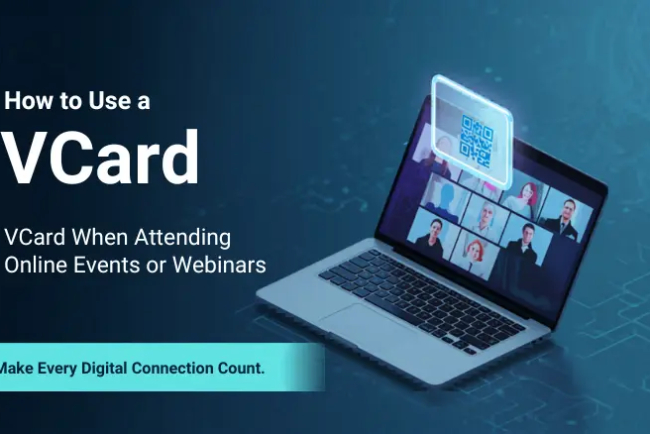
For webinars: drop your card URL in the chat at the start of the session and again at the end. Attendees who arrived late catch it the second time. This works across Zoom, Google Meet, Teams, and every major video platform with a chat function.
4. LinkedIn Profile — Two High-Value Placements
LinkedIn has two locations where your HelloVcard URL adds immediate value. First, the Contact Info section — add your card URL as a website link labelled "Digital Business Card." Second, the Featured section — add your card as a featured link with a custom description like "Save my contact details in one tap."
2,659 unique visitors have reached HelloVcard profiles through organic search, many arriving via LinkedIn referrals. A card linked from a well-optimised LinkedIn profile benefits from the platform's domain authority and your connection network simultaneously — passive distribution that requires no ongoing effort after the initial setup.
5. WhatsApp Status and Bio
Your WhatsApp Status is seen by every contact who views it — often 50 to 200 people per post depending on your network size. Pinning your HelloVcard link to your status periodically (once a week or after a major event or announcement) exposes your card to your entire contact list without sending a single individual message.
Your WhatsApp bio (Settings → Profile → About) is visible to anyone who taps your name in a chat. Adding your HelloVcard URL there means every new contact who receives a message from you can access your card directly from your profile — no asking, no waiting.
6. Printed Materials — QR Code That Never Goes Stale
HelloVcard and print are not mutually exclusive. Your QR code can be printed on brochures, letterheads, pull-up banners, product packaging, and business stationery. The critical advantage over a printed phone number: the QR code stays current even when your details change. Update your HelloVcard profile and the QR code on every piece of printed material immediately reflects the new information — without reprinting anything.
A printed QR code costs nothing to add to existing design files and eliminates the "outdated contact details on printed material" problem permanently.
7. NFC Tap for In-Person Networking
NFC (Near Field Communication) lets two phones exchange data by tapping. HelloVcard supports NFC sharing — tap your phone against a recipient's and your card opens instantly in their browser. No QR scan, no URL to type, no app on either device.
NFC works on all modern Android phones and iPhone 7 and above. For professionals who attend frequent in-person events, NFC tap is the fastest card-sharing method available — faster than finding the QR code on your phone and considerably faster than handing over a paper card that still needs to be manually saved.
8. Google Business Profile — Link Your Card from Your Listing
If you have a Google Business Profile, add your HelloVcard URL to the website field or posts section. Customers who find your business on Google Maps can tap through to your card, save your contact details, and tap your WhatsApp button — all without calling or visiting. For service businesses, this converts a passive Google Maps listing into an active lead capture channel.
9. Event Name Badge — QR Code Sticker
Print your HelloVcard QR code on a small sticker and add it to your event name badge. Every time someone reads your name tag, the QR code is visible. Attendees can scan it during breaks, between sessions, or during networking cocktails without needing to ask for your card or interrupt a conversation to exchange numbers.
A sheet of 20 QR code stickers costs under ₹50 to print and covers multiple events. The QR code points to your live card — even if your details change between events, the sticker stays current.
10. Social Media Bios — One URL Across All Platforms
Instagram, Twitter/X, Threads, and YouTube all allow one link in the bio. Instead of linking to your website (which may not have a contact-save button) or your LinkedIn (which requires an account to view), link to your HelloVcard. Followers who tap your bio link land on a page where they can save your contact, view your work, and message you directly — without leaving their browser.
One HelloVcard URL works across every platform simultaneously. Update your details and every bio link reflects the change — no platform-by-platform editing required.
Daily Vcard Workflow Checklist
- ✅ Email signature — add URL or QR code image (one-time setup)
- ✅ LinkedIn Contact Info and Featured section (one-time setup)
- ✅ WhatsApp bio (one-time setup)
- ✅ Social media bios — Instagram, Twitter/X, YouTube (one-time setup)
- ✅ Presentation template final slide — QR code (one-time setup)
- ✅ Send HelloVcard link in WhatsApp follow-up after every meeting
- ✅ Drop card URL in chat at start and end of every webinar
- ✅ Pin to WhatsApp Status weekly or after major announcements
- ✅ QR code sticker on event name badge before conferences
- ✅ Check interaction dashboard weekly — follow up with engaged contacts first
How to Set Up Your Daily Vcard Workflow
Step 1: Create and Publish Your HelloVcard
Go to hellovcard.com/register, sign up free, and complete your card profile. Add headshot, logo, brand colours, contact details, and one primary CTA button. Publish — your URL and QR code are available immediately.
Step 2: Complete the One-Time Integrations
In one sitting: update your email signature, LinkedIn Contact Info, LinkedIn Featured, WhatsApp bio, and all active social media bios. Add your QR code to your presentation template's final slide. This takes 20–30 minutes total and runs automatically from that point forward.
Step 3: Build the Follow-Up Habit
After every in-person meeting or video call, send your HelloVcard link via WhatsApp or email within 24 hours. Make it a standard close to every meeting. This single habit, applied consistently, generates more saved contacts than any other single action.
Step 4: Review and Act on Interaction Data
Check your HelloVcard dashboard weekly. Identify which contacts opened your card and which links they clicked. Follow up with engaged contacts first — they are the warmest leads in your network at that moment.
Frequently Asked Questions
How much time does maintaining a HelloVcard daily workflow actually take?
The one-time setup takes 20–30 minutes. After that, the only active step is sending your card link after meetings — which takes 10 seconds per message. The email signature, LinkedIn, and social bio integrations run passively with no ongoing effort. The weekly dashboard check takes under five minutes.
Does sharing my HelloVcard link repeatedly look spammy?
No — because the context is always relevant. Sharing your card after a meeting, in a webinar chat, or on your WhatsApp status is contextually appropriate. It is not broadcasting to strangers; it is providing contact information to people who have just met you or are actively viewing your profile. The frequency is determined by how often you meet people, not by any push mechanism.
What if I change jobs mid-year — do all my integrations need updating?
No. Update your HelloVcard profile with the new company, title, and contact details. Every integration — email signature QR code, LinkedIn featured link, WhatsApp bio URL, printed materials — immediately reflects the change. You do not update the integrations; you update the card once and every integration updates automatically.
Can I track which integration channel is generating the most card views?
HelloVcard's dashboard shows total opens, link taps, and contact saves by date. For source-level attribution (which specific channel sent the most traffic), use UTM parameters on your card URL for different placements — email signature, LinkedIn, WhatsApp — and track them separately in your analytics.
Set it up once. Let it run every day. Create your HelloVcard at hellovcard.com/register — free to start, live in five minutes, and working across every channel from the moment you publish.
Build your free digital business card at hellovcard.com/create and review plan options on the HelloVcard pricing page — professional features from ₹99/month.
Why Most Professionals Stop at One Integration Point
The most common pattern on HelloVcard: a professional sets up their card, adds the link to their email signature, and considers the job done. The email signature integration is real and valuable — but it reaches only the people you email. LinkedIn reaches people who visit your profile. WhatsApp reaches people in your contact list. QR code at events reaches people in the same room. Each integration serves a distinct audience that the others don't reach.
The workflow impact of five integrations versus one isn't five times the effort — it's five times the reach from the same card, maintained at zero ongoing cost after the initial setup. Across 178 active HelloVcard users on our platform, the highest card view counts consistently belong to users who completed all five integration points in their first week.
The Weekly Workflow Integration Audit — 5 Minutes, Once a Month
Once integrations are live, a monthly 5-minute audit keeps them optimised. Check: Is your CTA still relevant to your current priority? Has your designation changed? Is your intro video still accurate? Did you add a new social profile that should be linked? Is your QR code on your current materials?
One update in the HelloVcard dashboard propagates instantly across every integration point. No email signature redesign, no LinkedIn profile edit, no new QR code to print. This is the operational advantage that makes the workflow integration permanent rather than requiring maintenance cycles.
Integration Channel Comparison — Reach, Effort, and Conversion Profile
| Integration channel | Audience reached | Setup time | Ongoing effort | Best for |
|---|---|---|---|---|
| Email signature | Everyone you email | 5 minutes | Zero | Warm professional contacts |
| LinkedIn Featured | All profile visitors | 2 minutes | Zero | Professional discovery |
| WhatsApp About | Everyone who views your profile | 1 minute | Zero | Existing network + warm contacts |
| QR code on materials | In-person and event contacts | 15 minutes (design + print) | Zero after print | Events and physical locations |
| Social bios (Instagram, X) | Social media audience | 5 minutes total | Zero | Inbound discovery from content |
| WhatsApp Status | Entire WhatsApp contact list | 2 minutes per post | Weekly post | Passive broadcast to warm network |
How do I know which integration channel is generating the most card views?
HelloVcard analytics show total card views and link taps. To identify which channel drives specific views, use UTM parameters in the URLs you place in different integrations — for example, a different tracking parameter in your email signature link versus your LinkedIn link. The analytics will then show which source drives the most traffic to your card. This is a more advanced setup but gives you precise channel attribution.
What's the single highest-impact integration for someone who only does one?
Email signature, without question. It requires the least effort, reaches the highest-intent audience (people you're already in active conversation with), and runs automatically on every email you send from the moment it's set up. If you only do one integration, do this one. If you do a second, add LinkedIn. The two together cover the majority of professional discovery scenarios.
What's Your Reaction?